


In this article
- 1. Does Your Website Have a Clear Privacy Notice?
- What should you check?
- Why it matters
- 2. Do Your Forms Explain Why Personal Data Is Collected?
- What should you check?
- Why it matters
- 3. Are Cookies and Third-Party Trackers Visible?
- What should you check?
- Why it matters
- 4. Can Visitors Find a Privacy Contact or Grievance Channel?
- What should you check?
- Why it matters
- 5. Is Your Website Using Appropriate Security Protections?
- What should you check?
- Why it matters
- 6. Do You Know Where Website Data Goes?
- What should you check?
- Why it matters
- 7. Have You Reviewed Your Website Against DPDPA Readiness Requirements?
- Why it matters
- How PrismGRC Helps You Start With a Free Website Report
- Three Steps to Get Started
- What a Website Scan Cannot Tell You
- Final Thoughts: Privacy Readiness Begins With Visibility
- Check Your Website's Privacy Readiness
Your website may be collecting personal data long before a customer speaks to your sales team.
A contact form captures names and email addresses. Analytics tools observe visitor behaviour. Marketing platforms track campaign engagement. Chatbots collect conversations, and recruitment forms receive candidate information.
But how much of this data collection is visible, documented and understood by your organisation?
India's Digital Personal Data Protection Act, 2023 (DPDPA) and the associated DPDP Rules, 2025 make data privacy an important operational priority for businesses handling digital personal data.
The good news? You don't need to begin with an expensive, organisation-wide compliance exercise.
Your website is a practical starting point.
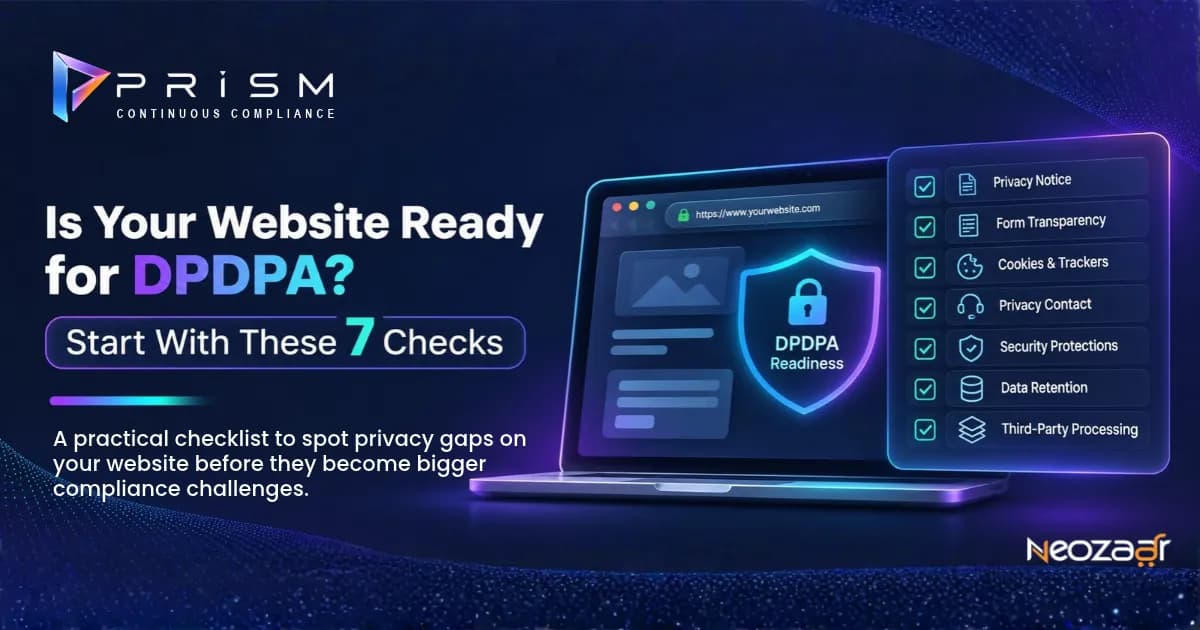
Here are seven checks to help you identify potential privacy gaps before they become larger compliance challenges.
1. Does Your Website Have a Clear Privacy Notice?
A privacy notice should help visitors understand what personal data your organisation collects and why.
Simply adding a generic privacy policy to the website footer is not enough to establish readiness.
What should you check?
Is your privacy notice easy to find?
Does it identify your organisation?
Does it describe the personal data you collect?
Does it explain the purposes for which you process that data?
Does it explain how individuals can exercise applicable privacy rights?
Is the information consistent with the website's actual behaviour?
Why it matters
A privacy notice creates transparency between your organisation and the people whose personal data it processes.
Under the DPDPA framework, specific notice requirements apply to consent-based processing when the relevant provisions take effect.
Practical action: Review your privacy notice against every form, tracking technology and customer interaction on your website.
2. Do Your Forms Explain Why Personal Data Is Collected?
Most business websites contain multiple points of data collection.
These may include:
Contact and enquiry forms
Newsletter subscriptions
Webinar registrations
Product demonstrations
Job applications
Customer support requests
Downloadable content registrations
Each interaction may involve a different purpose for processing personal data.
What should you check?
Review whether visitors can understand why you require the information they provide.
For example, a visitor registering for a webinar may reasonably expect event-related communications. That does not automatically establish permission for unrelated marketing.
Why it matters
Personal data should be processed for a specified purpose under an applicable legal ground.
Consent is one ground under the DPDPA, but certain legitimate uses are separately recognised by the Act.
Practical action: Create an inventory of your website forms, the data collected, the processing purpose and the relevant legal basis.
3. Are Cookies and Third-Party Trackers Visible?
Your website may use technologies that collect information without visitors actively completing a form.
Examples include:
Website analytics
Advertising pixels
Marketing automation platforms
Embedded videos
Chat widgets
Social media plugins
Session monitoring tools
What should you check?
Identify which scripts and trackers load when someone visits your website.
Determine whether they collect personal data, who receives that information and whether the processing is covered by an appropriate legal ground.
Why it matters
A cookie banner alone does not guarantee compliance.
Whether consent is required depends on the nature and purpose of the processing, the applicable laws and the circumstances.
For organisations serving visitors in the European Union, additional GDPR and electronic privacy requirements may apply.
Practical action: Review third-party scripts and trackers before deciding what notices or consent mechanisms are necessary.
4. Can Visitors Find a Privacy Contact or Grievance Channel?
If someone wants to raise a privacy concern, where should they go?
Would they know whom to contact?
What should you check?
Is there a clearly identified privacy contact?
Can visitors submit complaints or requests?
Are the contact details operational?
Is there an internal owner responsible for responding?
Is there a process for recording and resolving requests?
Why it matters
Privacy readiness requires more than publishing contact information.
Your organisation needs a process to receive, assess and respond to requests under applicable legal requirements.
Practical action: Test your published privacy contact details and confirm that requests reach an accountable person or team.
5. Is Your Website Using Appropriate Security Protections?
Personal data protection is not limited to notices and consent.
Your website's technical security posture is also important.
What should you check?
Review:
HTTPS configuration
Valid TLS certificates
Relevant security headers
Access controls for administrative accounts
Website plugins and third-party components
Form submission protections
Personal data exposure through public pages or URLs
Why it matters
The DPDPA framework addresses the protection of personal data through reasonable security safeguards.
However, a technically secure website is not necessarily a privacy-compliant website.
Practical action: Combine public website security observations with internal application security reviews and access-control assessments.
6. Do You Know Where Website Data Goes?
Collecting personal data is only the beginning.
A visitor submits an enquiry. The information may then move through several systems.
For example:
Website Form → CRM → Email Platform → Sales Team → Customer Database
Other information may flow to analytics vendors, hosting providers, support platforms or outsourced service providers.
What should you check?
Identify:
Which systems receive website data
Which teams can access it
Which external processors are involved
Where relevant data is stored
How long the data is retained
What happens when the original processing purpose ends
Why it matters
A website scan can reveal some public-facing technologies, but it cannot reliably identify every internal data flow.
Your organisation also needs process documentation and confirmation from business owners.
Practical action: Start documenting website-related processing activities as part of a Record of Processing Activities (RoPA), where appropriate.
7. Have You Reviewed Your Website Against DPDPA Readiness Requirements?
Individual checks provide useful observations. A structured review helps connect them.
Ask yourself:
Have we documented the personal data collected?
Do we understand the purposes and legal grounds for processing?
Are privacy notices aligned with actual collection practices?
Are third-party technologies understood?
Do we have a process for privacy requests and grievances?
Have website security observations been reviewed?
Can we demonstrate which issues have been addressed?
If you cannot confidently answer these questions, your website review has already identified useful areas for improvement.
Why it matters
Compliance readiness should lead to action, not simply a checklist marked complete.
A prioritised assessment helps identify which gaps require legal, technical or operational attention.
Practical action: Establish a baseline, assign responsibility for identified gaps and review evidence after remediation.
How PrismGRC Helps You Start With a Free Website Report
PrismGRC, developed by NeoZaar, provides a practical entry point for organisations beginning their privacy-readiness journey.
Its Free Website Report examines publicly observable privacy and selected security signals relevant to DPDPA and GDPR readiness.
The report can help highlight:
Privacy notice observations
Cookies and tracking technologies
Consent-banner observations
Publicly available grievance information
Selected HTTPS and security-header findings
Potential remediation priorities
Three Steps to Get Started
Step 1: Enter your website URL
Open the PrismGRC Site Scanner and enter the website you want to review.
Step 2: Request your report
Provide your corporate email address, following the scanner's verification requirements, to receive your website findings.
Step 3: Review your privacy gaps
Share the findings with the appropriate website, IT, marketing and compliance owners. Validate the observations and decide what needs to change.
The website report is free and does not require creating a full compliance workspace.
What a Website Scan Cannot Tell You
A website scan is a starting point, not a DPDPA compliance certification.
It cannot independently verify your internal employee-data processes, contractual safeguards, retention practices, vendor management, incident-response arrangements or every personal data flow.
These require additional information from internal systems and accountable business teams.
For a broader view, PrismGRC also provides an organisational self-assessment to help teams identify and prioritise potential compliance gaps.
Final Thoughts: Privacy Readiness Begins With Visibility
Many organisations assume that privacy compliance begins with policies, legal documents and formal audits.
In practice, an effective starting point is understanding what personal data your business collects and how that information is used.
Your website is one of the most visible places to begin.
Seven practical checks can help reveal the first gaps, establish ownership and create a clearer path towards DPDPA readiness.
You don't need to solve every privacy challenge on day one. You need to know where to start.
Start with your website. Identify the gaps. Build your privacy-readiness plan.
Check Your Website's Privacy Readiness
Discover what your website publicly reveals about privacy notices, trackers, consent signals and selected security configurations.
Get Your Free Website Report with PrismGRC.
- #DPDP Rules 2025
- #DPDPA
- #DPDPA readiness
- #GDPR readiness
- #PrismGRC
- #RoPA
- #consent management
- #cookies and trackers
- #data mapping
- #grievance redressal
- #personal data protection
- #privacy notice
- #website compliance
- #website privacy
- #website security
Neozaar Team
Insights on cloud marketplaces, security and enterprise IT from the NeoZaar team.